By the VixQR team · published on · 10 min read
QR Codes for Events: Where They Work, and Where a Free Generator Is the Wrong Tool
Tickets need a ticketing platform, not a static QR code. Where free codes do belong at an event, and the physical realities that break scanning at the gate.
Let's start with the part that costs us business, because it's the most useful thing in this article.
If you are selling tickets, do not generate them with a free QR code tool. Not ours, not anyone's. A static QR code is the wrong technology for admission control, and using one will cost you more than a ticketing platform would have.
Now that's out of the way, there's a genuinely large amount an event can do with free static codes — and almost nobody does it well. Let's go through both halves.
Why static codes fail as tickets
A static QR code encodes a fixed value. Anyone who photographs it holds a perfect copy. There is no difference, to a scanner, between the original and a screenshot.
That single property breaks admission control in three ways.
Screenshot sharing. One person buys a ticket, screenshots it, and sends it to four friends. All five codes are identical and all five are valid until something says otherwise.
Resale fraud. A scammer sells screenshots of a ticket they legitimately own — or don't own at all — to a dozen buyers. Everyone arrives with a code that looks perfect. At most one gets in, and your gate staff absorb eleven arguments.
No revocation. A refunded, transferred or fraudulently purchased ticket cannot be invalidated once the code is printed, because the code is the credential.
The industry's answers to this are all things a static generator cannot do.
Server-side single-use validation. The scanner checks a backend at the moment of entry. The first scan marks the ticket as used; the second is rejected at the next gate. This is the minimum viable defence, and it works even with a static code — but it requires a validation system, a database of ticket states, and connected scanners. That's a ticketing platform, not a QR generator.
Rotating barcodes. The ticket's code regenerates every 15 to 60 seconds, usually derived from a time-based one-time password. Google Wallet's rotating barcode implementation, for example, uses TOTP with a per-pass secret and typically refreshes about once a minute; the reader only accepts the current value. A screenshot is stale within seconds.
Worth knowing if you configure these: providing a static fallback for devices that can't render a rotating code negates most of the security benefit. The fallback is what an attacker will use.
Device binding. The ticket is tied to an account or device identifier. If the same ticket suddenly appears on a different device, the system flags it for verification at the gate.
Cryptographic offline validation. Venues have terrible connectivity — a field, a basement, or simply ten thousand phones saturating the same cell. Serious scanning apps validate signed tokens locally, log every scan on the device, and sync when connectivity returns. This catches duplicate entries after the fact rather than at the moment, which is imperfect but far better than nothing.
None of that lives in a code generator. It lives in a platform. Use one.
What a screenshot is still good for
A small piece of advice worth passing to attendees, because it prevents a lot of gate friction.
Even with rotating codes, tell people to screenshot their ticket anyway — not as an entry method, but as proof of purchase. If the app crashes, the phone dies, or the venue's network collapses, a screenshot plus a booking reference plus ID lets box office staff verify a booking manually.
And tell them to check the ticket loads correctly the day before, not in the queue. That single instruction eliminates most gate incidents.
Now the part nobody does well
Everything at an event that isn't admission is a perfect use for a free, permanent, static QR code. And this is where most organisers leave real value on the table.
Wayfinding. A code at the entrance opening a map of the venue. Codes at junctions that open the map centred on where you're standing. This is trivially cheap and genuinely useful at any event large enough for people to get lost.
The schedule. Printed programmes go out of date the moment a speaker cancels. A code pointing at a live schedule page means the printed material stays accurate because it isn't carrying the information — it's carrying a pointer to it.
WiFi. A WiFi QR code on table cards and signage connects people without anyone reading a 20-character password aloud. This is the single highest-satisfaction, lowest-effort code at any indoor event.
Session materials. A code on the podium slide or on the seat card leading to slides, papers and further reading. Speakers love it, and it removes the "where do I find the deck?" email volume afterwards.
Speaker and exhibitor pages. A code on a badge or booth leading to a bio, a portfolio, contact details.
Feedback and surveys. A code on the exit signage while the experience is fresh. Response rates on a code at the door beat an email sent the next morning by a wide margin.
Catering menus and dietary information. Especially useful where allergen data has to stay current.
Safety information. Evacuation routes, first aid locations, incident reporting. A code on every lanyard costs nothing and is the kind of thing that matters exactly once.
Lost and found. A code on venue signage pointing at a reporting form.
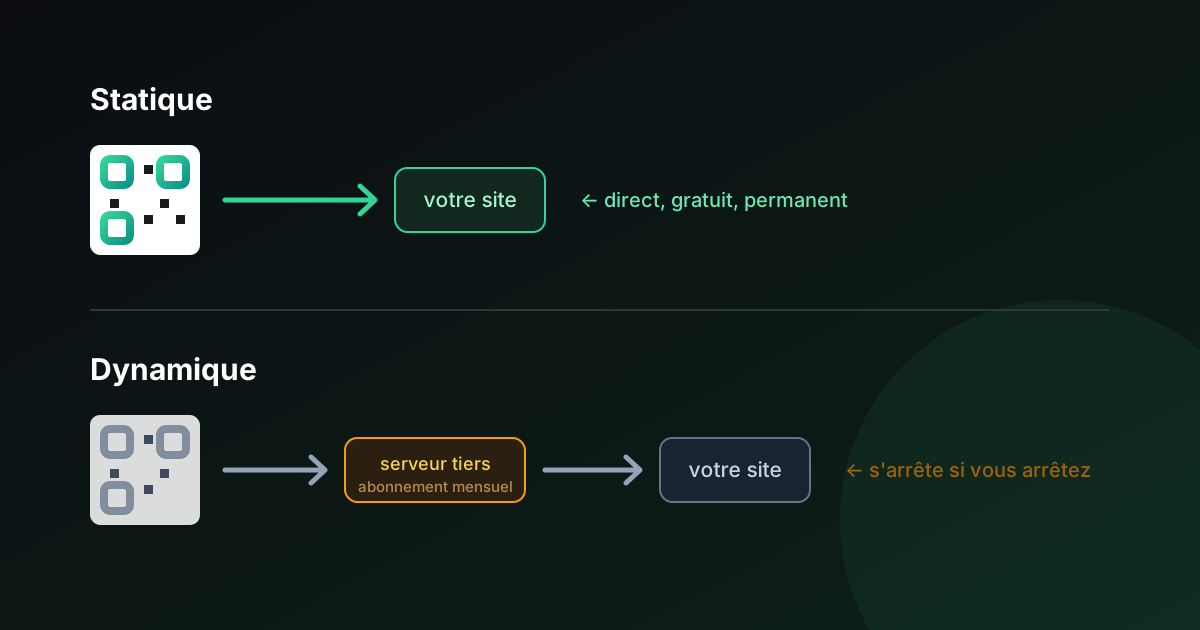
Every one of these is a static code aimed at a page you control. Free, permanent, nothing to renew, no per-scan cost, works on every phone.
The physical realities that break event scanning
Events are the harshest scanning environment there is, and most guidance ignores this entirely.
Darkness. Concert venues, evening receptions, club nights. A printed code in a dark room is a gamble — the camera needs light to resolve modules. Options: place codes where lighting actually exists, print larger than you think, or accept that a backlit screen is more reliable than paper in that room. For handheld objects in the dark, NFC genuinely outperforms QR, which we go through in QR code vs NFC.
Sunlight and glare. The opposite problem outdoors. Glossy laminate on a festival sign becomes a mirror. Use matte finishes, and check the sign at the time of day it will actually be read.
Crowds and distance. People cannot approach a code to scan it if two hundred others are between them and it. Wayfinding codes need to be readable from a queue, which means large — apply the rule of ten from our size and scan distance guide, and then go a size up.
Height and reach. Codes need to work for someone seated in a wheelchair as well as a standing adult. Target the centre of the code at 100–120 cm on vertical surfaces. Our accessibility guide covers this and the alternative-access requirement in full.
No signal. The code scans fine and then the page never loads, because ten thousand phones are sharing one mast. Design the destination to be lightweight — a text-first page, minimal images, no heavy framework — and put the critical information (schedule, map, safety) in the first screenful. If the venue is known to be bad, print the key information as well as linking to it.
Badges and lanyards. Codes on badges rotate, flip, and hang at odd angles. Print on both sides. Keep the payload short so the pattern stays sparse. And remember that a lanyard badge is worn at roughly chest height, which is a comfortable scanning position — one of the few things events make easy.
Print production. Everything from our prepress guide applies, but two points matter disproportionately at events: use vector files for large-format signage, and specify spot black K=100 so the code doesn't pick up a colour halo on press. And proof on the actual material — foamboard, vinyl and fabric all behave differently from paper.
The event-specific security problem
Conferences are a favoured target for physical QR attacks, and event organisers are rarely warned about it.
The attack is a sticker. Someone places a malicious code over a legitimate one — on conference signage, on room booking tablets, on parking meters outside the venue, on charging stations. Attendees scan something they have every reason to trust and land on a credential harvesting page, often styled as a WiFi login or an event app sign-in.
Business events are attractive targets because the attendees are, by definition, employees of organisations worth compromising. We go into the mechanics in quishing at work.
Three cheap countermeasures:
Print the destination URL beside every code. An attendee who can see that the printed address doesn't match what their phone is about to open will hesitate. This is also the accessibility fix, which is a pleasant coincidence.
Use one short, obvious domain for everything. If every legitimate code at your event goes to yourevent.com/something, an anomaly is visible. If your codes point at four different shortener domains, nobody can tell a fake from the real thing — including you.
Walk the venue and check your own signage. Once before doors, once during. A sticker is visible if someone is looking for it, and nobody ever looks.
Gate logistics, which decide the actual experience
The technology is rarely what causes a bad entry queue. The operations are.
Count your scanners properly. A competent scan takes three to six seconds including the human interaction. Do the arithmetic against your expected arrival curve, not your total attendance — most people turn up in a 45-minute window, not spread evenly across the evening. A thousand attendees arriving in half an hour needs considerably more scanning capacity than the headline number suggests.
Batteries are the failure mode. Scanning devices run the camera continuously and die faster than anyone plans for. Budget power banks per device, and have charged spares that can be swapped in without closing a lane.
Test the offline path deliberately. Simulate a network outage during a rehearsal and confirm the scanners still validate and still catch duplicates on sync. Discovering that your offline mode doesn't work at 19:45 with a queue round the block is a genuinely bad evening.
Decide the exception policy in advance. What happens when a code won't scan? Someone has to be authorised to admit a person on a booking reference and ID, and the queue needs a separate lane for it. Without that decision made beforehand, the whole line stops for every edge case.
Brief staff on what a rejection means. A duplicate scan alert is not proof of fraud — it's frequently a genuine attendee whose ticket was scanned at the wrong gate, or a family sharing one booking. Staff who treat every alert as an accusation create incidents; staff who wave everything through create fraud. Give them a script.
A practical checklist
Do not use a free generator for: tickets, admission, anything that must be single-use, anything that must be revocable, cashless payment credentials.
Do use free static codes for: wayfinding, schedules, WiFi, session materials, speaker and exhibitor pages, feedback forms, menus and allergen data, safety information, lost and found.
Before the event:
- Point every code at a URL on your own domain, so destinations can change without reprinting
- Print the destination URL beside each code
- Size codes for the real scanning distance, then go one size larger
- Proof on the actual material, and scan with an older Android as well as a current iPhone
- Test the destination pages on a throttled connection
- Check the lighting where each code will physically live
During the event:
- Walk the signage looking for stickers
- Keep a printed fallback of critical information
After:
- Update the destinations rather than discarding them. A code printed on a reusable sign can point somewhere new next year.
The underlying principle
Tickets are a credential. Credentials need state, revocation and validation, and those live on a server, not in a printed pattern.
Everything else at an event is a pointer — a way to get someone from a physical place to a page. Pointers should be free, permanent, and aimed at a domain you own, so that the printed object outlives the campaign.
Confusing the two is what makes organisers either overpay for hundreds of "dynamic" codes that only ever needed to be signposts, or underpay by trying to run admission on screenshots.
For the pointer half, VixQR generates static codes free, in your browser, with SVG and PDF export for large-format print — no account, and nothing that expires between this year's event and the next one.
For the ticket half, buy a ticketing platform. Genuinely.